Free Screen Recorder With Transcription — 50+ Languages
Table of contents
- Hey Everyone, It’s DJ Tim!:
- What Is This Screen Recording Software and Why Does It Matter?:
- Watch the Full Screen Recorder Tutorial: Free Screen Recorder With Transcription
- How to Record Your Screen in 5 Simple Steps:
- Share Your Screen Recordings Everywhere — Instantly:
- Automatic Video Transcription in 50+ Languages: Free Screen Recorder With Transcription
- Organise, Manage and Control Your Video Library:
- Who Is This Screen Recording Software For?: Free Screen Recorder With Transcription
- The Bigger Picture: 30+ Tools, One Login, One Price:
- Start Recording Your Screen — and Transcribing — Like a Pro Today:
- Frequently Asked Questions About This Free Screen Recorder With Transcription:
Hey Everyone, It’s DJ Tim!:
If you’ve been searching for a free Screen Recorder With Transcription with no watermark or time limit — one that works entirely online, with no software to download — you’re in exactly the right place. I’ve been on that same hunt, and I finally found it sitting inside a tool I was already using every day.
I tried Loom. Great for quick videos, but the free plan slaps a five-minute cap on every recording and starts charging the moment you want anything more. I tried OBS Studio. Powerful, yes — but the setup alone took me the better part of an afternoon. I even tested a handful of browser-based screen capture tools that promise “no watermark,” only to have their logo plastered all over your finished video the moment you try to download it.
None of them felt like the complete solution. And then I found Recordly.
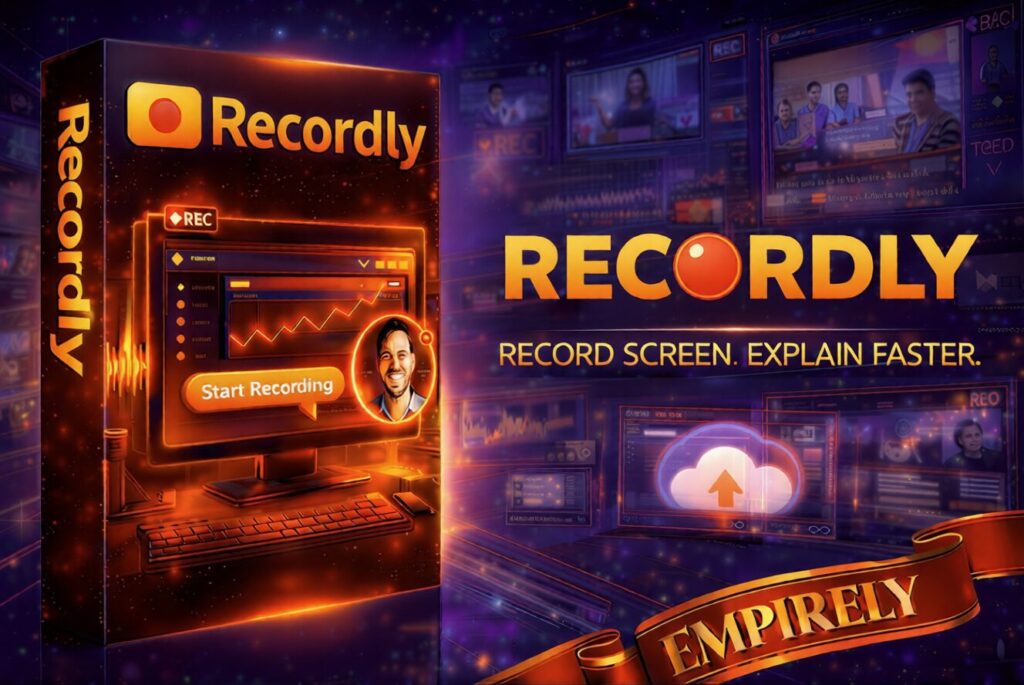
Recordly is the dedicated screen recording software built directly into Empirely — the all-in-one AI marketing platform I call DJ’s Marketing Toolbox. It is a professional, HD free screen recorder with transcription in over 50 languages — with no watermark, no time limit, and nothing to download. And for Tycoon members, it is included at no extra cost. Today, I’m walking you through every single feature.
What Is This Screen Recording Software and Why Does It Matter?:
Recordly is a free screen recorder with built-in transcription in Empirely’s 30+ tool dashboard. It is designed for people who want to record their screen and audio — and instantly convert that recording into a written transcript in any of 50+ languages — without a steep learning curve, without a download, and without the subscription fatigue that comes from paying separately for every tool in your stack.
Most free screen recorders come with a catch. A five-minute time limit. A watermark is burned into every video. A desktop download that only works on Windows. Or a “free” tier that locks away the one feature you actually need behind a £12-a-month paywall. Recordly has none of those catches. What you see is what you get — and what you get is genuinely impressive.
The best part? It is available exclusively to Tycoon members of Empirely — one of the crown jewels inside a toolbox that keeps growing every single month.
Watch the Full Screen Recorder Tutorial: Free Screen Recorder With Transcription
Before I walk you through all the features, watch this hands-on tutorial to see exactly how this free screen recorder with transcription works in the Empirely dashboard. Pay attention to just how fast it is to go from clicking the app to recording your screen — and how the automatic transcription kicks in the moment your recording is done. No setup, no configuration, no waiting.
Two things immediately stand out when you use this screen recording software for the first time. First, how fast it is — you’re recording within seconds of opening the app. Second, how clean the output is. There’s no Recordly watermark, no Empirely branding burned into your video — nothing. Just your screen, your voice, and your content.
How to Record Your Screen in 5 Simple Steps:
This free screen recorder with transcription gives you a finished video and transcript in minutes. Here’s how
- Log in to your Empirely Tycoon dashboard. Everything is in one place — Recordly sits alongside all your other Tycoon tools, neatly organised and ready to go the moment you arrive.
- Open Recordly — no download required. The screen recording software loads instantly inside your browser. No download prompt. No plugin installation. No system requirements to worry about. If you have a modern browser, you’re good to go.
- Choose what to capture. Select your full screen, a specific browser tab, or a single application window. Toggle your microphone narration and system audio on or off — this is your screen and audio recorder, and you’re fully in control of what gets captured.
- Hit record and present. Walk through your tutorial, demo, course lesson, or presentation. Recordly captures every pixel in real time — crisp, clear, and completely lag-free.
- Stop — and your transcript is ready. When you finish recording, Recordly automatically generates a written transcript of everything you said, in your chosen language. Download your HD video, copy your transcript, and share both — instantly. This is what makes it the most complete free screen recorder with transcription available right now.
That really is all there is to it. If you can open a browser tab and click a button, you can use this screen recording software.
Everything You Get — The Full Screen Recorder Feature List: Free Screen Recorder With Transcription
This is where Recordly earns its place as the most complete free screen recorder with transcription in this price bracket. Let’s walk through every feature you get as a Tycoon member:
- HD screen recording — crystal clear, every time. Capture your screen at full resolution with no pixelation, dropped frames, or blurry output. The kind of quality that makes your tutorials, demos, and course content look genuinely professional.
- Record screen and audio simultaneously. Capture your microphone narration and system audio simultaneously in a single recording pass. No need for separate audio software or fiddly post-production dubbing. It is the complete screen and audio recorder in one.
- No watermark — ever. This is the feature that separates real tools from those with a catch. Every video you produce is 100% yours. No Recordly logo, no Empirely badge, no “free trial” banner. What you record is what your audience sees — nothing more.
- No time limit — record as long as you need. Whether it’s a 2-minute product demo or a 3-hour training session, Recordly won’t cut you off. No five-minute cap, no forced upgrade in the middle of your recording. Unlimited screen capture time included.
Features Part 2:
- Fully browser-based — no download needed. This is a true online screen recorder. There is nothing to install, nothing to update, and no compatibility issues. Works on Windows, Mac, and Chromebook. Open your dashboard and start recording — that’s the entire setup process.
- Flexible capture — full screen, window, or tab. Choose exactly what you want to record. Full screen for broad walkthroughs, a specific application window for software tutorials, or a single browser tab for website demos. You decide what your audience sees.
- Add CTA buttons directly to your recordings. This one genuinely surprised me. You can embed call-to-action buttons right inside your videos — so viewers can click through to a booking page, a sales funnel, or a sign-up form without ever leaving the recording. It turns a simple screen capture into a conversion machine.
- Instant download. The moment you stop recording, your HD video file is available to download to your device. No cloud processing delay, no rendering queue. Done recording — done waiting.
Share Your Screen Recordings Everywhere — Instantly:
Most screen recorders hand you a file and leave you to it. As a free screen recorder with transcription and built-in sharing, Recordly skips all of that. Share your finished recording to eight destinations with one click
- Embed. Grab the embed code and drop your screen recording straight into any website, blog post, sales funnel page, or online course platform. No third-party video hosting required.
- Email. Send your recording directly via email without downloading it first. Perfect for client communications, onboarding sequences, or sending course content to students.
- X (Twitter). Share your tutorial or screen capture to X instantly and drive traffic back to your offer, landing page, or profile.
- Facebook. Post your screen recording directly to your Facebook profile, business page, or group. Brilliant for tutorials, walkthroughs, and behind-the-scenes content.
- LinkedIn. Perfect for consultants, freelancers, and business owners who want to share professional walkthroughs, case studies, or training content with their network.
- Pinterest. Repurpose your screen recordings as tutorial pins or product demo videos and tap into Pinterest’s powerful visual search traffic.
- WhatsApp. Share directly with WhatsApp contacts or groups — ideal for quick client demos or tutorial videos for people who prefer messaging over email.
- Pocket. Save recordings to Pocket for later viewing or to share with an audience who curates content on the platform.
Automatic Video Transcription in 50+ Languages: Free Screen Recorder With Transcription
I want to spend a moment on this because it is the feature that sets Recordly apart as a genuinely powerful free screen recorder with transcription — and it is the one that caught me most off guard when I first discovered it.
Every screen recording you make is automatically transcribed into 50+ different languages. To put that in context, automatic transcription in multiple languages is one of Loom’s most-praised premium features, locked behind their Business plan. Here, as a free screen recorder with transcription built into your Tycoon membership, it is simply included. Think about what that means in practice:
- Subtitles and closed captions. Make your screen recordings accessible to deaf and hard-of-hearing viewers, and dramatically improve watch time on social media where most people scroll with the sound off. One recording, maximum reach.
- Blog posts and articles. Take your transcript, tidy it up slightly, and you have a complete piece of written content from a single recording session. One screen capture, two pieces of content — without doing any extra work.
- SEO-rich video descriptions. Paste your transcript into your YouTube description, course platform notes, or website copy to give search engines far more text to index and rank.
- Translated content for international markets. With 50+ languages supported, you can reach audiences well beyond English-speaking countries without hiring a professional translator for every video you produce.
For anyone creating tutorials, training content, or marketing videos — and especially for anyone operating in multilingual markets — this is the feature that makes Recordly the smartest free screen recorder with transcription available today. I genuinely expected it to be a premium add-on. The fact that it is included in your Tycoon plan makes it an extraordinary value.
Organise, Manage and Control Your Video Library:
The more you use this screen recording software, the more videos you’ll naturally build up. Empirely has carefully considered what happens to all those recordings as your library grows — and the dashboard management features make a real difference to how smoothly your workflow runs.
- Create folders on the dashboard. Keep your screen recordings neatly organised by project, client, topic, or campaign. Create a folder for your online course content, another for client demos, and another for your social media videos. No more hunting through a long, unsorted list trying to find a recording from three weeks ago.
- Drag and drop to rearrange. Organising your video library is completely intuitive. Simply drag recordings into the order you want or move them between folders with a clean drag-and-drop interface. No complicated menus, no right-click rabbit holes. Just grab and move, exactly the way you’d expect.
- Download any recording at any time. Every video you have ever captured using this online screen recorder is available to download whenever you need it. Build your library inside the dashboard, then pull recordings down to your device whenever a client needs a copy, or you want to upload a batch to your course platform.
These might sound like small workflow features, but when you’re actively producing content every week using a free screen recorder with transcription, a properly organised video library saves real time and real frustration. I’ve lost count of how many times I’ve dug through messy cloud folders searching for one specific recording. With folder organisation and drag-and-drop management built right in, that problem simply disappears.
Who Is This Screen Recording Software For?: Free Screen Recorder With Transcription
This free screen recorder with transcription is for anyone who wants to use video to teach, sell, onboard, or market — and get a written transcript of every recording without paying extra for a separate service. It’s a perfect fit if you are:
- An online course creator who needs to record screen and audio for lesson walkthroughs, software tutorials, or presentation-based training modules.
- A freelancer or consultant who wants to send clients personalised video walkthroughs, onboarding guides, or screenshare proposals — without paying £12/month for Loom on top of everything else.
- A DJ or entertainer who wants to create “how to book us” demo videos, record training content for their team, or produce behind-the-scenes tutorial clips for social media.
- An e-commerce seller creating product demo videos, customer support tutorials, or unboxing walkthroughs to reduce returns and answer buyer questions before they’re even asked.
- A social media marketer who repurposes screen recordings into YouTube tutorials, LinkedIn walkthroughs, or short-form Instagram and TikTok clips.
- A coach or trainer delivering live sessions, workshop recordings, or step-by-step guides for a membership community — where having no time limit on your recordings is genuinely non-negotiable.
If it lives on your screen and you want to share it — along with a written transcript your audience can read, search, and translate — this free screen recorder with transcription can do it all, cleanly, instantly, and professionally.
The Bigger Picture: 30+ Tools, One Login, One Price:
This free screen recorder with transcription is just one piece of a much bigger picture. The Empirely Tycoon plan was built for creators, marketers, and entrepreneurs who are done with subscription fatigue — that exhausting, expensive cycle of paying for 10, 15, even 20 different tools every single month.
What Else Do You Get Inside Empirely Tycoon?:
Alongside this professional screen recording software, your Tycoon membership gives you access to everything in this ever-growing toolbox:
- Income Genie — 17 modules to build multiple income streams online through logo design, social media content, CV creation, website templates, proposals, and more.
- AI Ebook, Audiobook & Storybook Creator — generate and sell your own digital products in minutes, with zero design experience required.
- Funnel & Landing Page Builder — drag-and-drop simplicity with high-converting templates ready to customise and launch.
- AI Image & Poster Generator — create professional marketing graphics and social media visuals without needing a designer.
- YouTube Thumbnail Creator — scroll-stopping visuals that dramatically improve click-through rates on every video you publish.
- Built-in Email Autoresponder — automate your follow-up sequences and sell while you sleep.
- QR Code Art Generator — turn standard QR codes into branded, eye-catching marketing assets.
- Unlimited AI Credits — no usage caps, no throttling, no surprise bills at the end of the month.
- A brand-new tool added every single month — every future launch is included in your membership at no extra charge.
- Free Digital Empire Playbook + Easy Millionaire System (valued at $2,997) — a practical roadmap for building a real online income.
- Private community and weekly live training — genuine support from real people who are building alongside you.
Empirely has earned over 150 five-star reviews on Trustpilot. Members consistently describe it as the first all-in-one platform that genuinely delivers on its promise. One login. One flat monthly fee. A complete marketing stack — including the most capable free screen recorder with transcription I have ever come across, with no watermark, no time limit, and no download required.
Start Recording Your Screen — and Transcribing — Like a Pro Today:
If you’re serious about using screen recording to grow your business, teach online, or market your services with video, you won’t find a more complete solution than this. A free screen recorder with transcription in 50+ languages — plus no watermark, no time limit, no download, instant sharing to 8 platforms, CTA buttons, folder management, and drag-and-drop organisation — all included in a single Tycoon membership.
For a limited time, Founder pricing gives you a massive $50 off per month — but this won’t be around forever. Once the launch window closes, the price goes up permanently.
Stop paying separately for screen recording software that watermarks your videos, caps your recording time, or locks the features you need behind a premium tier. Start recording — and start building your empire — today.
Frequently Asked Questions About This Free Screen Recorder With Transcription:
Yes. Tycoon members inside Empirely get access to Recordly — a free screen recorder with transcription in 50+ languages, no watermark, no time limit, and nothing to download. It works entirely in your browser and is included at no extra cost alongside 30+ other marketing tools inside the Tycoon membership.
Yes. Recordly is a fully browser-based free screen recorder with transcription — there is nothing to install or download. Open your Empirely dashboard, click Recordly, and you’re recording and transcribing within seconds. Works on Windows, Mac, and Chromebook.
Yes — and this is one of the standout features. Recordly automatically transcribes your screen recordings into 50+ languages. Use the transcript to create subtitles, repurpose recordings into blog posts, write SEO descriptions, or reach international audiences — all without a separate transcription service.
Frequently Asked Questions Part2:
Recordly has built-in sharing to eight destinations directly from your dashboard: Embed, Email, X (Twitter), Facebook, LinkedIn, Pinterest, WhatsApp, and Pocket. No separate uploading, no extra logins — just click share and your screen recording goes live.
Join Empirely at the Tycoon level using the link on this page. This free screen recorder with transcription — alongside 30+ other professional marketing tools — is available immediately in your dashboard once your membership is active. Founder pricing is currently $50/month off, but this is strictly time-limited. Lock in your rate today before the launch window closes.
DJ Tim | Mobile Disco Network | mobiledisconetwork.com Check Availability